TrueParse turns documents into data you can use.
PDFs and spreadsheets in, structured data out. We designed and built all of it: the dashboard, the processing API and the delivery integrations.
- Our role
- Product design and engineering
- Built as
- A Jasbhi-owned product
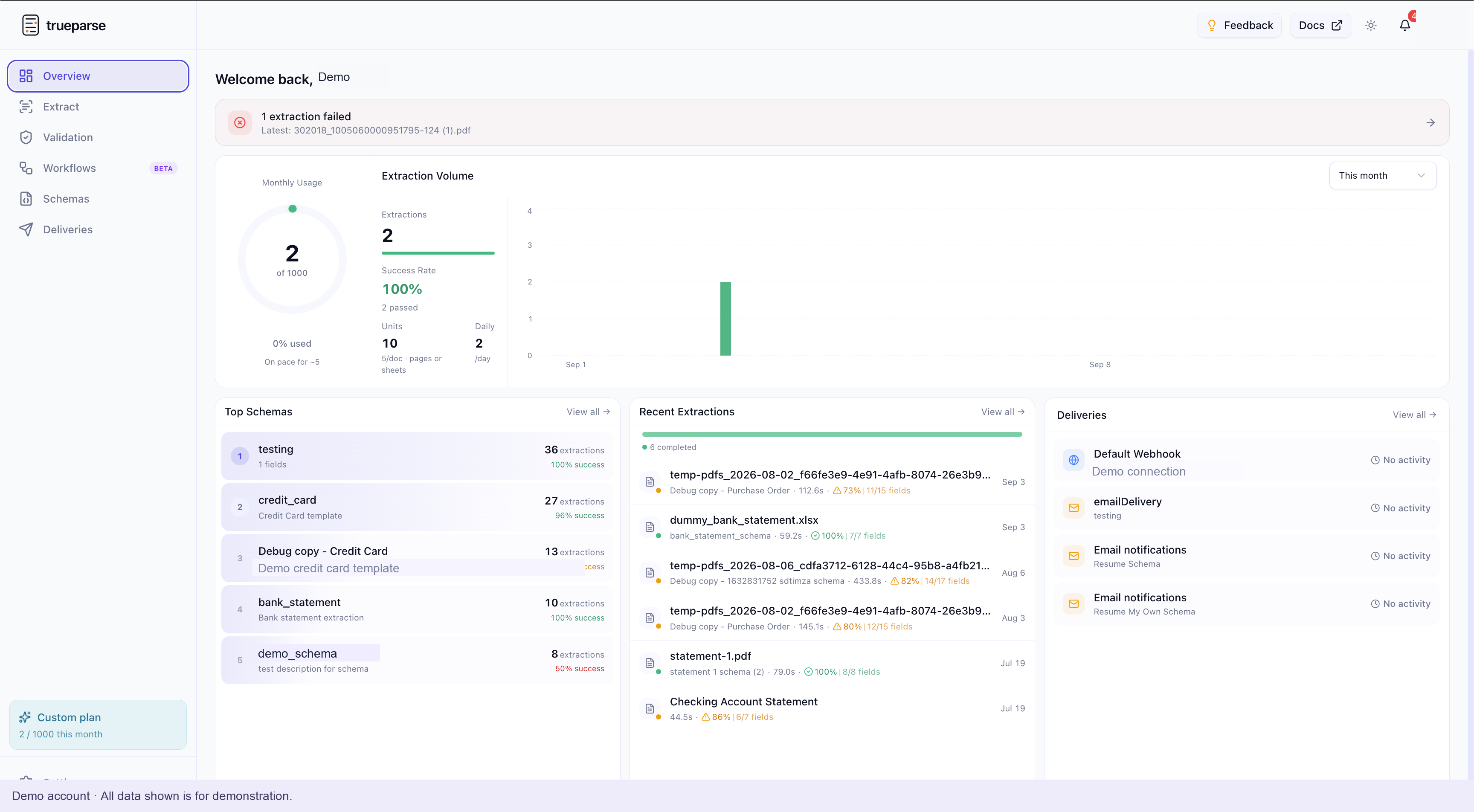
Document activity in one view
A workspace that brings document activity, schemas and delivery connections together.
Real product interface. All activity shown is demo-account data.
From documents to usable data
Business documents arrive in different layouts, but the next system still needs specific fields in a usable format. TrueParse brings that into one product: define the structure, process the document, review the result and send it where it needs to go.
- For the person using it
- A workspace for documents, reusable schemas, results and deliveries.
- For the team integrating it
- An API to make document processing part of another application.
From an upload to a result someone can use
Select a field to trace it from the source document to the result.
INV-1048
Acme NorthIssued
14 Aug 2026
- 1
Bring the document
Upload a PDF or XLSX file through the dashboard, or submit it through the API.
Dashboard / API
- 2
Choose the structure
A saved schema defines the field names and types the result should contain.
Reusable schema
- 3
Process in the background
A queued job handles extraction while its status stays visible.
Background processing
- 4
Use the result
Review or export the data, or send it to a configured destination.
JSON / Excel / Delivery
When a document needs a check first, a workflow adds validation and a stop path before extraction or delivery. See the workflow walkthrough
The parts of the product, and how they fit
- React and Next.js
- TypeScript and Node.js
- Background workers
- Integrations
Reusable extraction schemas
Reusable schemas specify the fields and types to extract. A sample document can suggest a starting structure, which the user reviews before saving. The same structure can then be used again.
Schema editor · Field suggestions · Typed results
Background processing and job history
An extraction runs as a background job. The dashboard gives users a history of their documents and processing status, with results available for review and export.
Job processing · Extraction history · Excel export
Document checks and workflows
Validation rules check whether a document meets a requirement. Extraction collects the requested fields. The workflow builder connects these steps and provides a stop path when a check fails.
Validation rules · Workflow canvas · Pass and fail paths
API and result delivery
The API lets another application submit work and retrieve results. Configured delivery destinations send completed results to a webhook, email, Slack or S3, so the document process can continue in other tools.
Jobs API · Delivery destinations · Structured output
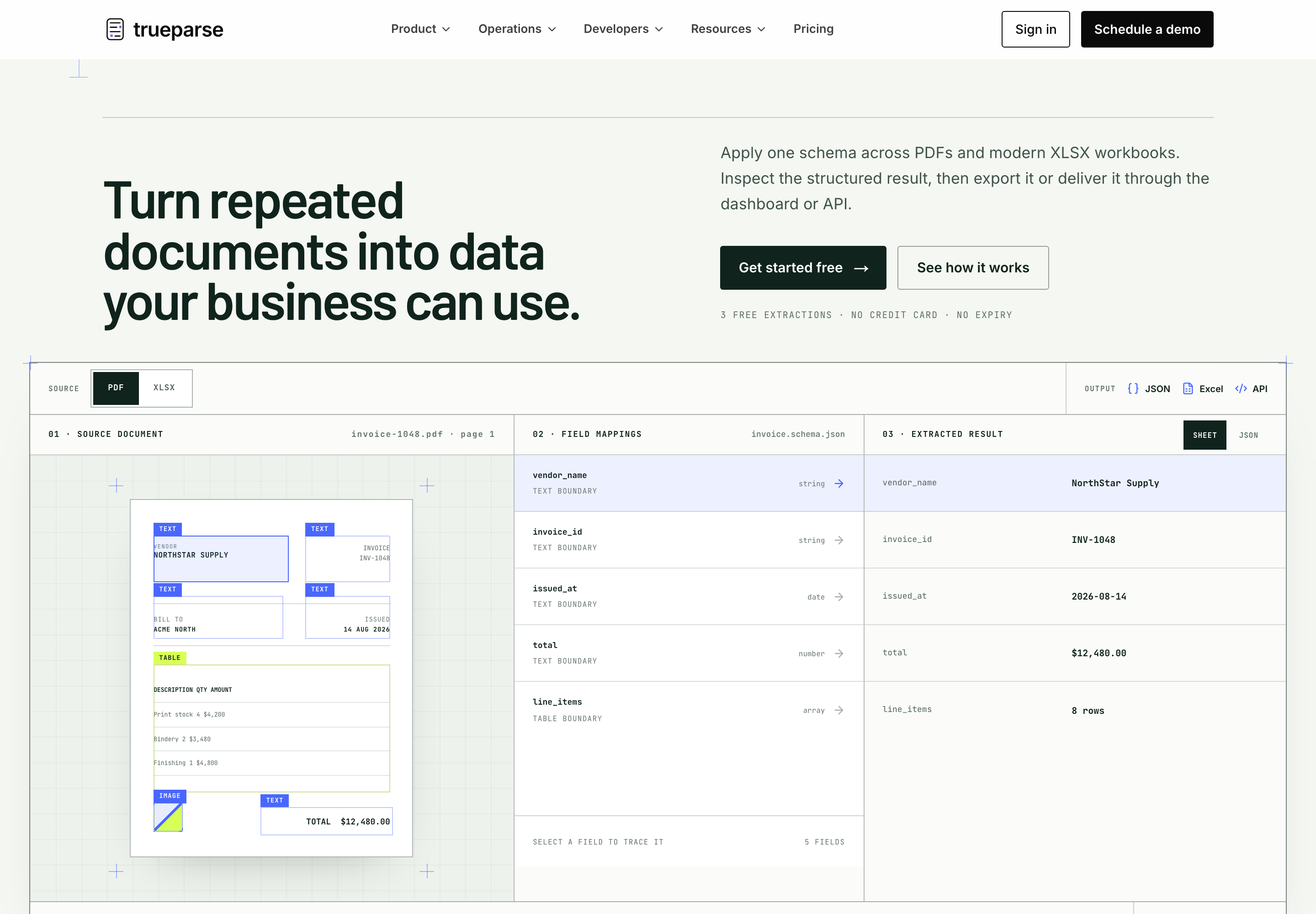
Website, dashboard and API
Each part has a different job: explain the product, help people do the work, and connect it to their software.
We can do the same on your product: plan the workflow, build the interface and backend, and support it as it grows.
Read the API guideWhat are you working on?
If you need a product built, an internal workflow improved, or an existing platform taken further, tell us a little about it.
[email protected]Looking for document extraction? Try TrueParse